A Closer Look at Mobile Tech Performance
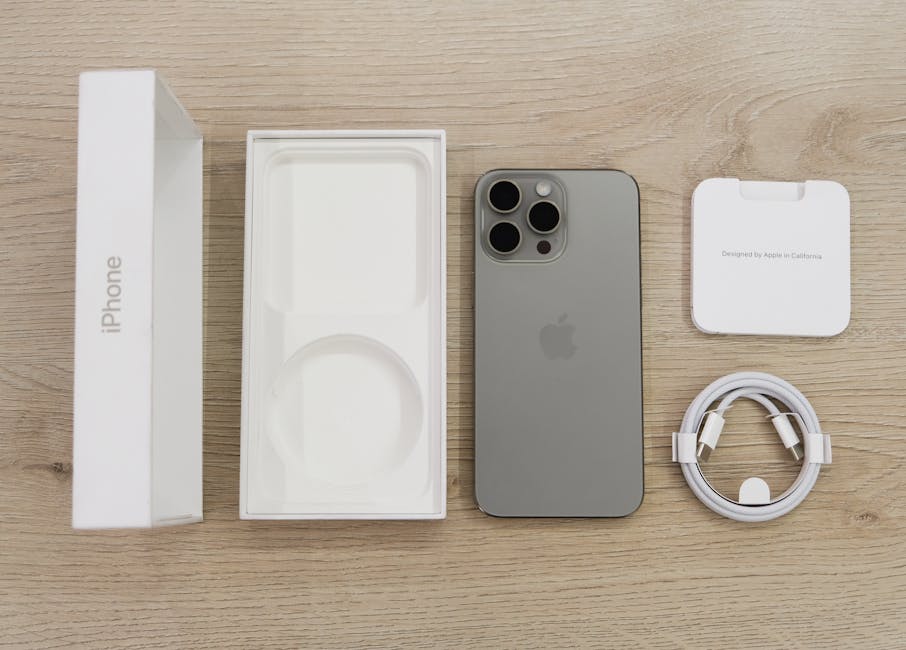
If you’re into tech performance comparisons, there’s one smartphone that’s making waves in 2024: the iPhone 15 Pro Max. Apple’s flagship device combines raw power with smart efficiency, and we’ve put it through its paces so you don’t have to.
Why It Stands Out
- Apple’s A17 Pro chip delivers industry-leading speed and stability
- Enhanced thermal management makes high-performance tasks smoother
- Battery performance holds up even during intensive gaming or editing sessions
Real-World Testing Insights
Curious how it performs under pressure? See how the iPhone 15 Pro Max stacks up in our real-world tests, from multitasking to 4K video rendering.
- Side-by-side gaming comparisons with top Android competitors
- Frame rate sustainability and app load times measured
- Performance under heat stress and power draw analysis
Read the Full Review
Want the full breakdown? Check out our hands-on review of the iPhone 15 Pro Max for a deeper dive into how Apple’s latest device maximizes mobile power, design, and user experience.
Performance Face-Off: Apple M3 vs. Dell with 13th-Gen Intel
Apple M3 Chip: What’s New?
Apple’s M3 chip represents another leap forward in Apple Silicon innovation. Built on a 3-nanometer process, the M3 offers improved performance and power efficiency compared to its M2 predecessor.
What it brings to the table:
- Enhanced CPU and GPU cores designed for better speed and energy management
- Hardware-accelerated ray tracing and mesh shading
- Improved unified memory architecture
For creative professionals and everyday users alike, this translates into faster rendering, smoother multitasking, and longer battery life without sacrificing speed.
Dell’s Real-World Intel Power
Dell’s 13th-gen Intel-powered devices bring serious multitasking capabilities to Windows environments. Thanks to a mix of performance and efficiency cores, Dell laptops powered by these processors hold up well in demanding workflows.
In real usage scenarios, expect:
- Faster video conferencing and productivity app switching
- Reliable rendering and compiling speeds for code and creative tasks
- Support for a wider variety of software, including legacy apps
Benchmarks and Multitasking Showdowns
When comparing benchmark results, the performance gap between Apple’s M3 and Dell’s 13th-gen Intel chips is closer than ever, depending on the task.
Key performance notes:
- Apple’s M3 excels in battery-powered tasks and optimized creative applications like Final Cut Pro and Logic Pro
- Dell’s Intel chips often outperform in raw CPU tasks that benefit from high core counts or better multi-threading support
- Multitasking, such as running virtual machines alongside software suites, remains a strength for both platforms, though the Mac often wins in energy use
Thermal Management and Fan Noise
Efficiency looks different on each side of the aisle. Apple engineers thermal solutions that rarely require a fan spin-up, making MacBooks virtually silent under medium workloads.
Thermal takeaways:
- Apple: Passive cooling strategies often outperform traditional fans in most daily tasks. Thermal throttling is minimal unless under sustained heavy usage.
- Dell: Improved thermal designs with multiple heat pipes and smart fan control minimize noise. Users may notice fan activation during gaming or intense rendering, but the system remains cool overall.
Bottom line: Apple provides silent power, while Dell offers consistent cooling without sacrificing performance.
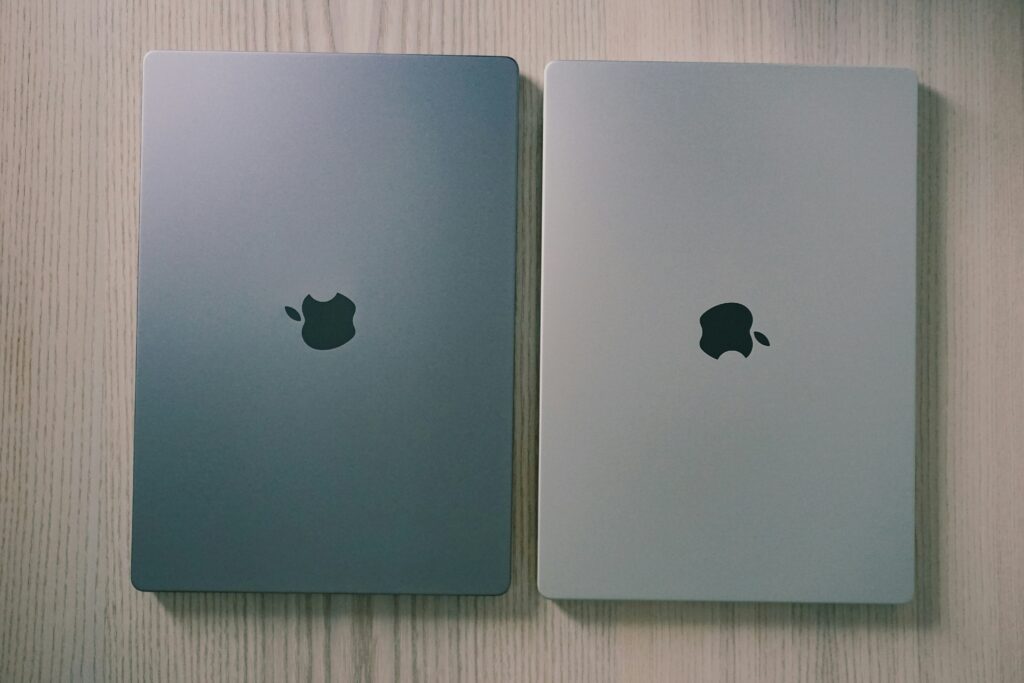
In the world of lightweight laptops, two names keep coming up: the MacBook Air M3 and the Dell XPS 13 Plus. Sleek, fast, and built for mobility, they represent the best of what ultraportables can do in 2024. But which one is really worth your cash and your backpack space?
This comparison matters more than ever. With remote work, travel content, and hybrid classrooms now part of daily life, having a machine that’s powerful without being bulky is no longer optional. These two laptops are pushing the limits of performance and design in small packages—and they each take a very different approach.
The MacBook Air M3 leans into Apple’s ecosystem and top-tier battery life. It’s a crowd favorite among content creators, mobile professionals, and students who value stability and polish. The Dell XPS 13 Plus, on the other hand, is built to impress with innovation. Think edge-to-edge displays, a clean keyboard layout, and raw Windows horsepower. It’s aimed at creatives, coders, and design rebels who like flexibility and forward-thinking features.
Two laptops. Same mission: power without baggage. Let’s dig in.
The MacBook Air M3 keeps things simple and sharp. Its all-aluminum body is as minimal as ever, with clean lines, no frills, and a look that still feels premium without trying too hard. Portability is where it really shines. It’s light, thin, and easy to toss in a bag without a second thought. Durability is decent too—as long as you’re not treating it like a dodgeball.
Then there’s the Dell XPS 13. It leans futuristic, almost sci-fi. Think edge-to-edge display, ultra-tiny bezels, and a chassis that feels more experimental. It looks cooler on a desk but feels more fragile in the wild. Compared to the MacBook, it’s a hair heavier and its carbon fiber interior, while sleek, can smudge up fast.
Real-world use comes down to priorities. If visual polish and low weight matter more than raw versatility, the MacBook is the safer pick. But if you’re chasing that ultra-modern, cutting-edge vibe—and don’t mind handling with care—the XPS 13 earns points for bold design. In the end, both machines look great. It’s just a question of elegance versus edge, and how rough your day-to-day actually gets.
Everyday Usability: How Apple and Dell Stack Up
When it comes to daily use, the experience goes beyond specs. Ergonomics, input quality, and overall build refinement matter just as much. Here’s how Apple and Dell compare in the areas that shape your everyday workflow.
Typing Experience: Tactile and Comfortable
The keyboard can make or break a laptop for many users. Whether you’re drafting long-form content or shooting off quick emails, comfort and responsiveness are key.
- Apple: The MacBook lineup features the Magic Keyboard, known for its low profile, quiet performance, and steady tactile feedback. Key travel is minimal but consistent.
- Dell: Dell’s XPS and Latitude lines offer deeper key travel and a more traditional feel. Many users appreciate the slightly softer landing and broader spacing.
Trackpad: Precision Matters
A great trackpad can enhance the fluidity of your workflow, especially for creators and multitaskers.
- Apple: Apple continues to lead with its large Force Touch trackpad. Exceptionally responsive with uniform click feedback across the surface.
- Dell: Dell has improved consistently, with glass precision trackpads in premium models. While accurate and smooth, they tend to be smaller than Apple’s offerings.
Port Selection: Minimalist Design vs. Practical Versatility
Connectivity is another crucial factor, especially if you’re constantly juggling accessories.
- Apple: Modern MacBooks typically feature two to four Thunderbolt (USB-C) ports. Clean and sleek, but almost always requires adapters or dongles.
- Dell: Offers a broader port array, including USB-A, HDMI, SD card readers, and USB-C depending on the model. A better fit for plug-and-play simplicity.
Camera, Microphone, and Speaker Setup: Ready for Calls and Creation
With remote work and content production on the rise, having solid AV components built-in is essential.
-
Webcam:
-
Apple: 1080p webcams with advanced image signal processing in newer models improve clarity and exposure.
-
Dell: Still a mix—some models feature HD (720p) cameras, though recent premium lines now include upgraded 1080p options.
-
Microphones:
-
Apple: Three-mic arrays with directional beamforming deliver clear, podcast-ready voice quality.
-
Dell: Good clarity in premium models, but budget-friendly options may lack noise reduction tech.
-
Speakers:
-
Apple: Clear advantage here. Balanced stereo speakers tuned for richer bass and spatial audio, especially on MacBook Pro.
-
Dell: Quality varies. Higher-end XPS systems come close, but bass response and dynamic range can lag behind Apple.
Verdict: Balance Your Priorities
Apple offers unmatched refinement and cohesive design, making it ideal for users who prioritize long-term reliability and media-rich communication. Dell, meanwhile, leans into utility and flexibility, perfect for users who want control over ports, feel, and physical customizability.
Retina and InfinityEdge screens both pack serious visual punch, but they’re built with different strengths. Apple’s Retina display focuses on pixel density and color accuracy. It’s sharp, bright, and calibrated well out of the box. Great for creators who need precision—think photographers, video editors, and design-heavy vloggers.
InfinityEdge, mostly found on Dell’s XPS line, pushes screen real estate with ultra-thin bezels. It also delivers solid sharpness and high brightness, but its real shine is in how immersive it feels. For folks doing general vlogging, editing, and multitasking, it’s a strong all-purpose option.
When it comes to lighting conditions, Retina thrives in consistent indoor setups. InfinityEdge, especially with anti-reflective layers, holds up better in brighter or variable environments. Both are capable, but your use case should decide. If color fidelity is non-negotiable, go Retina. If you value screen space and adaptability, InfinityEdge makes sense.
All-day battery showdown: who goes further
Battery life used to be an afterthought. In 2024, it’s front and center. Whether you’re vlogging at a festival, navigating airport delays, or doing laptop edits from a van, endurance matters. Among the top contenders, certain mirrorless cameras and flagship phones now consistently push the 12-hour mark on moderate use. But it varies—heavily. Hot tip: always check real-world usage tests, not just lab specs.
Charging speed is the backup weapon. Many creators are leaning into USB-C across the board for faster, simplified power-ups. That means fewer cables, fewer headaches. MagSafe is still in the game, especially for iPhone users who prefer wireless setups. But it’s not ideal for travel if you want true speed or need your gear charged mid-recording.
For those constantly on the move, the ideal setup blends high-capacity power banks, dual-port fast chargers, and devices that sip power rather than guzzle it. If you commute daily or run a hybrid setup, look for lighter gear with USB-C pass-through charging. Your backpack—and your footage—will thank you.
When you’re vlogging, your gear matters — and so does the OS behind it. macOS is known for its seamless ecosystem, tight stability, and a curated selection of pro-grade apps. Final Cut Pro, native AirDrop file transfers, and automatic syncing with iPhone and iPad create a streamlined editing and publishing workflow. Creators who already live in the Apple bubble will find the process smoother, with fewer hiccups and more synergy between devices.
Windows 11 brings a different kind of appeal. It’s flexible, highly customizable, and well-suited for power users who want to tweak their machines. Backward compatibility and broader driver support make it ideal for custom setups, external gear, and edge-case tools. Plus, app choice is virtually unlimited once you drop the gates.
Phone and tablet integration is where the gap starts to close. Apple still has the clear lead if you’re swapping files daily between MacBook and iPhone. But tools like Microsoft Phone Link and cross-platform cloud storage have made Windows less of an island.
If you want a plug-and-play system with minimal setup and solid native performance, Apple’s the way to go. But if you value full control, broad hardware options, and don’t mind getting your hands dirty, Windows 11 gives you room to stretch.
When it comes to gear, creators are asking the right question: do you really need the maxed-out model? For many vloggers, base versions of cameras, laptops, or audio tools deliver more than enough punch without draining the budget. Top-tier specs might sound great on paper, but unless you’re shooting in 8K for commercial clients or running multiple AI workflows at once, the return on investment can be minimal.
That said, longevity matters. Cheaper models might save you money upfront but can fall short over time. Software support, firmware updates, and resale value all lean in favor of brands that think long-term. Devices that get timely software patches and hold their market value give creators more flexibility down the line.
Then there’s the unsexy side: warranty policies, customer service, and how well the hardware holds up under daily hustle. Some brands build their gear like tanks and back it with real support. Others leave you hanging with plastic parts and call center loops. Vloggers who are in it for the long haul are choosing tools not just for flash, but for function and follow-through.
If you’re vlogging in 2024, chances are you’re editing on the go, managing files across devices, and need something that won’t die halfway through your workflow. The MacBook Air M3 hits that sweet spot if you’re deep in the Apple ecosystem. It’s still fanless, which means zero noise during voice-overs or quick edits in quiet rooms. Battery life? Outlasts your filming stamina. Add in seamless handoffs between iPhone, iPad, and AirPods, and you’ve got a tight setup for solo creators who don’t want to deal with friction.
On the flip side, the Dell XPS 13 offers more performance flexibility, especially if you’re juggling multiple creative apps or have custom hardware in play. Need real ports, want to dual-boot, or prefer Linux for your workflow? The XPS gives you options the MacBook never will. It handles heavier processing with proper cooling and is generally more tweak-friendly.
MacBook buyers are likely already in the Apple world and care more about smooth integration and reliability than raw specs. Think lifestyle vloggers, travel creators, or daily uploaders who want tech to just work. Dell XPS buyers are a bit more tech-savvy, maybe editing heavier video or flipping between personal and client work. They want customization and control, not just polish.
 Ask Lindariah Harrisons how they got into expert analysis and you'll probably get a longer answer than you expected. The short version: Lindariah started doing it, got genuinely hooked, and at some point realized they had accumulated enough hard-won knowledge that it would be a waste not to share it. So they started writing.
What makes Lindariah worth reading is that they skips the obvious stuff. Nobody needs another surface-level take on Expert Analysis, Gadget Reviews and Insights, Latest Technology News. What readers actually want is the nuance — the part that only becomes clear after you've made a few mistakes and figured out why. That's the territory Lindariah operates in. The writing is direct, occasionally blunt, and always built around what's actually true rather than what sounds good in an article. They has little patience for filler, which means they's pieces tend to be denser with real information than the average post on the same subject.
Lindariah doesn't write to impress anyone. They writes because they has things to say that they genuinely thinks people should hear. That motivation — basic as it sounds — produces something noticeably different from content written for clicks or word count. Readers pick up on it. The comments on Lindariah's work tend to reflect that.
Ask Lindariah Harrisons how they got into expert analysis and you'll probably get a longer answer than you expected. The short version: Lindariah started doing it, got genuinely hooked, and at some point realized they had accumulated enough hard-won knowledge that it would be a waste not to share it. So they started writing.
What makes Lindariah worth reading is that they skips the obvious stuff. Nobody needs another surface-level take on Expert Analysis, Gadget Reviews and Insights, Latest Technology News. What readers actually want is the nuance — the part that only becomes clear after you've made a few mistakes and figured out why. That's the territory Lindariah operates in. The writing is direct, occasionally blunt, and always built around what's actually true rather than what sounds good in an article. They has little patience for filler, which means they's pieces tend to be denser with real information than the average post on the same subject.
Lindariah doesn't write to impress anyone. They writes because they has things to say that they genuinely thinks people should hear. That motivation — basic as it sounds — produces something noticeably different from content written for clicks or word count. Readers pick up on it. The comments on Lindariah's work tend to reflect that.